Storycanvas turns a brief into story beats, a script and frame-by-frame boards on a single node canvas. It is the planning layer that gets stakeholders aligned before anything goes into production. The boards feed straight into Portlz, hand off to video editors, or simply start the creative journey.
Aligned earlierTone, pacing and shot intent are agreed on the page, not argued over in an edit suite.
One canvasBranches, alternates and dependencies stay visible instead of buried in documents.
Nothing restartsComments plug back into the workflow, so amends happen in the same place as the work.
A brief is broken into scenes and beats with a clear narrative structure, before a word of script is written.
Script and frame boards
Each beat becomes script and a visual frame board, so tone, pacing and shot intent are agreed on the page.
Node canvas
The whole project sits on one canvas. Branches, alternates and dependencies are visible rather than buried in documents.
Inside the product
01
Everything as inputBriefs, documents, website content and video references all drive and shape the story.
02
Node-based buildMaximum flexibility and control over how a video or interactive experience comes to life.
03
Image generationGenerate frames, combine them and upload references to shift the art direction of the board.
04
Agents with rolesAgents review, amend and critique the script as an ongoing process, not a one-off pass.
05
Every model, one placeThe latest AI models sit side by side, so the best model can be picked per task.
06
Review that loops backShare output for comments, then plug those comments back into the workflow to make the amends.
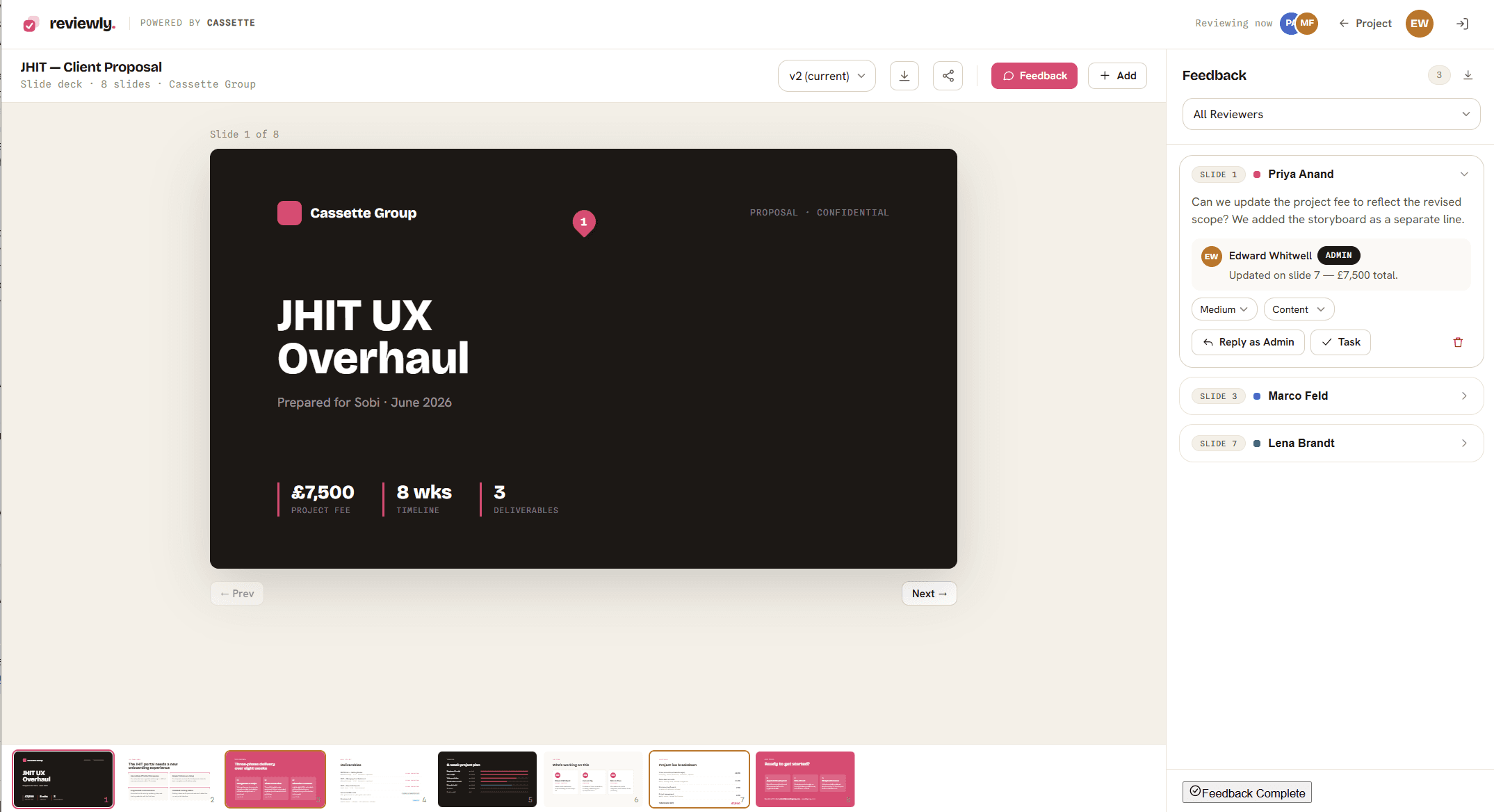
Sign-off workflowBoards and scripts route to Reviewly for threaded, multi-stakeholder approval.
Hands off anywhereApproved boards pass into Portlz or out to video editors, structure intact.
Brand and tone controlHouse style, terminology and tone applied to every generated draft.
SSO and access controlSAML and OIDC sign-on, roles and workspace separation.
02 / Create, video
vidori.
AI-produced videos, with cheat sheets.
Share your screen and explain the steps. Vidori creates a polished, branded video and writes a step-by-step cheat sheet from the same session. How-to videos at the speed your software and AI tools are changing.
Hours to minutesOne recording session replaces a scripted shoot, an edit and a written guide.
Always on brandThemes keep every video consistent, whoever records it and whenever it is made.
Nothing to installIt runs in the browser and renders in the cloud. No local compute, no editing skills.
Themes branded to match the software you are demonstrating, for consistency across all video content.
Step 2
Choose your style
AI voiceover removes the ums and ahs, or let your product owners be the star with their own voice and webcam.
Step 3
Explain it once
Record your screen and talk through the steps learners need to know.
Step 4
Create your content
Send the video to render. It is edited together and a cheat sheet can be generated.
Inside the product
01
Six-step recorderName, theme, style, record, review, render. Sessions save locally, so a refresh never loses a take.
02
Five branded themesCassette, Eazly, Copilot, Portlz or your own, in landscape 16:9.
03
Three ways to recordPresent to camera, record the screen only and let AI voice it, or upload footage you already have.
04
AI cleans the audioUms and ahs removed, a polished voiceover with subtitles, and the edit assembled for you.
05
Cheat sheets generatedEach recording becomes a step-by-step guide with targets, screenshots and editable steps.
06
Project libraryStatuses from ready-to-record to complete. Open, regenerate, copy link, download or delete.
Free plan available. Sign in and start a project in the browser, nothing to install.
03 / Create, immersive
portlz.
Create interactive experiences with ease.
Portlz builds rich, interactive 360 experiences without the technical headache. Interactive learning, training and onboarding, games and stories, venue and product tours, marketing and events. AI animates the world, adds sound and drops in speaking characters in minutes. Publish online at the click of a button, or export to SCORM for your existing LMS.
No code, no vendorsYour own team builds it. Panoramas, video, voices and characters are all generated in the product.
Unlimited viewersNo per-view or bandwidth charges. You pay for the people building, not the people watching.
Fits your stackPublishes into the LMS you already run rather than asking you to replace it.
Generate or upload panoramas, then animate regions into video. Spatial audio anchors sound to places in the scene.
Characters and conversations
Guides and story characters that talk and lead, with branching dialog trees, voices and automatic lip-sync.
Logic without code
Action graph visual scripting drives game-style logic, custom overlays, 3D models and in-scene quizzes.
Three ways to publish, chosen per experience
SCORM 1.2 packageDrops into the LMS you already run.
Hosted by usShare a link, or embed it in your site.
Exported packageHost it yourself, wherever you want.
Included on every package
Unlimited learners and viewers, with no per-view or bandwidth charges.
Every AI model, at every package level. Output quality is never gated by price.
Translation and dubbing of text, media and voiced dialog across languages.
Hosting, embedding and export, plus all AI provider costs inside your credit allowance. One supplier, one contract, one invoice.
Not part of a Portlz licence
xAPI and cmi5. Publishing is SCORM 1.2 today. If your LMS strategy depends on xAPI, tell us early.
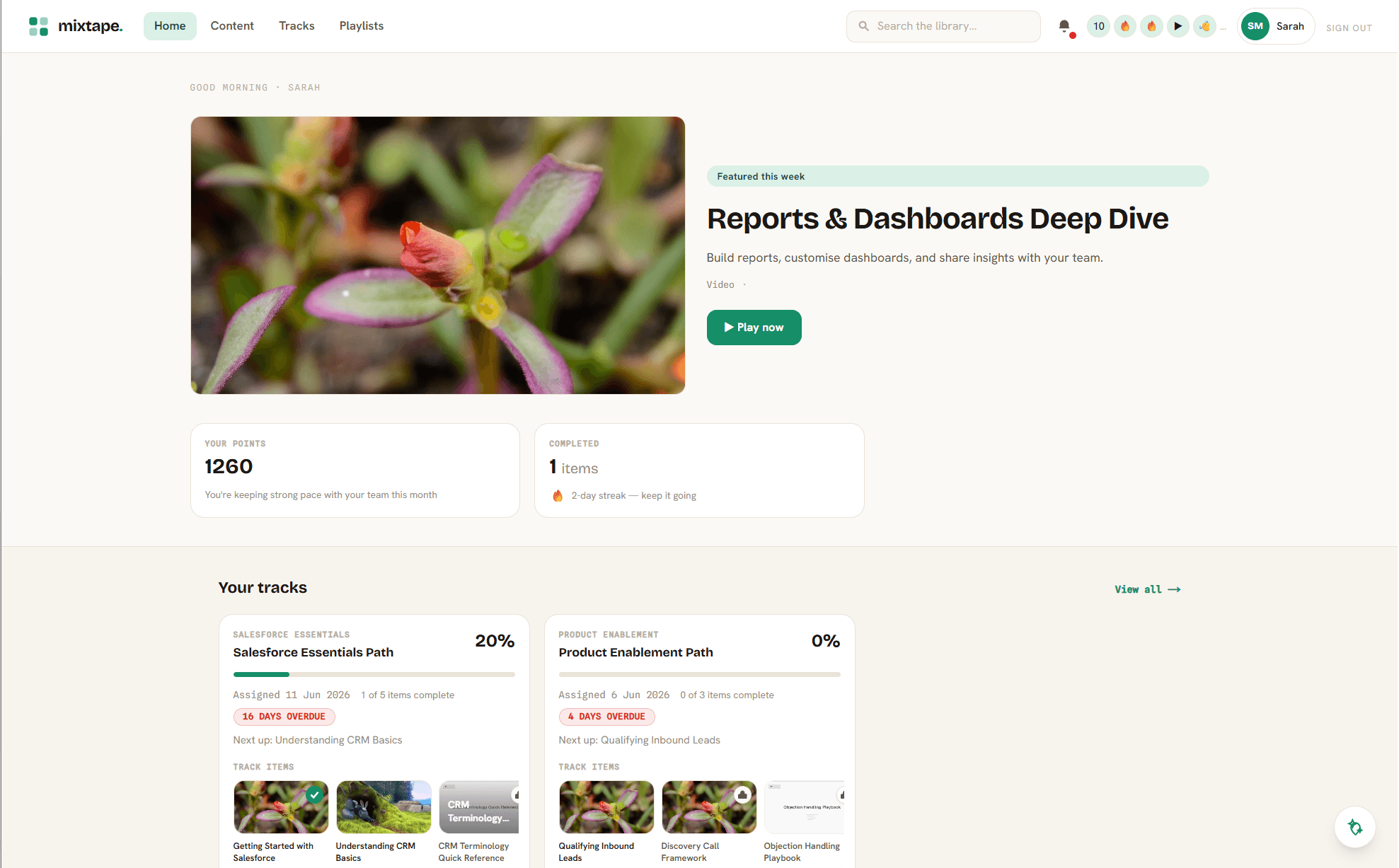
Mixtape. The Eazly content experience layer is a separate product.
An LMS. Portlz publishes into the platform you already run. It is not a replacement for it.
Enterprise packages run from a team licence to an organisation-wide programme, with unlimited viewers on every tier. Ask us for current pricing.
04 / Review and sign-off
reviewly.
One place for client feedback.
Every Cassette output routes here for review and sign-off. One workflow, multi-stakeholder and threaded. It is the product our clients spend the most time in, and we never charge for it.
All outputsStoryboards, scripts, videos, immersive HTML and direct uploads, reviewed in one space.
ThreadedMultiple stakeholders, one thread. Comments, version history and approvals tracked together.
Free to clientsNever sold. It is simply how you engage with every piece of work we make.
Receives all suite output. Approved work goes to Mixtape
Beneath the suite sits our own operations layer: the internal tools that keep a project organised, on record and moving. They are the reason the work is fast and nothing gets lost.
Knowledge layer
cue
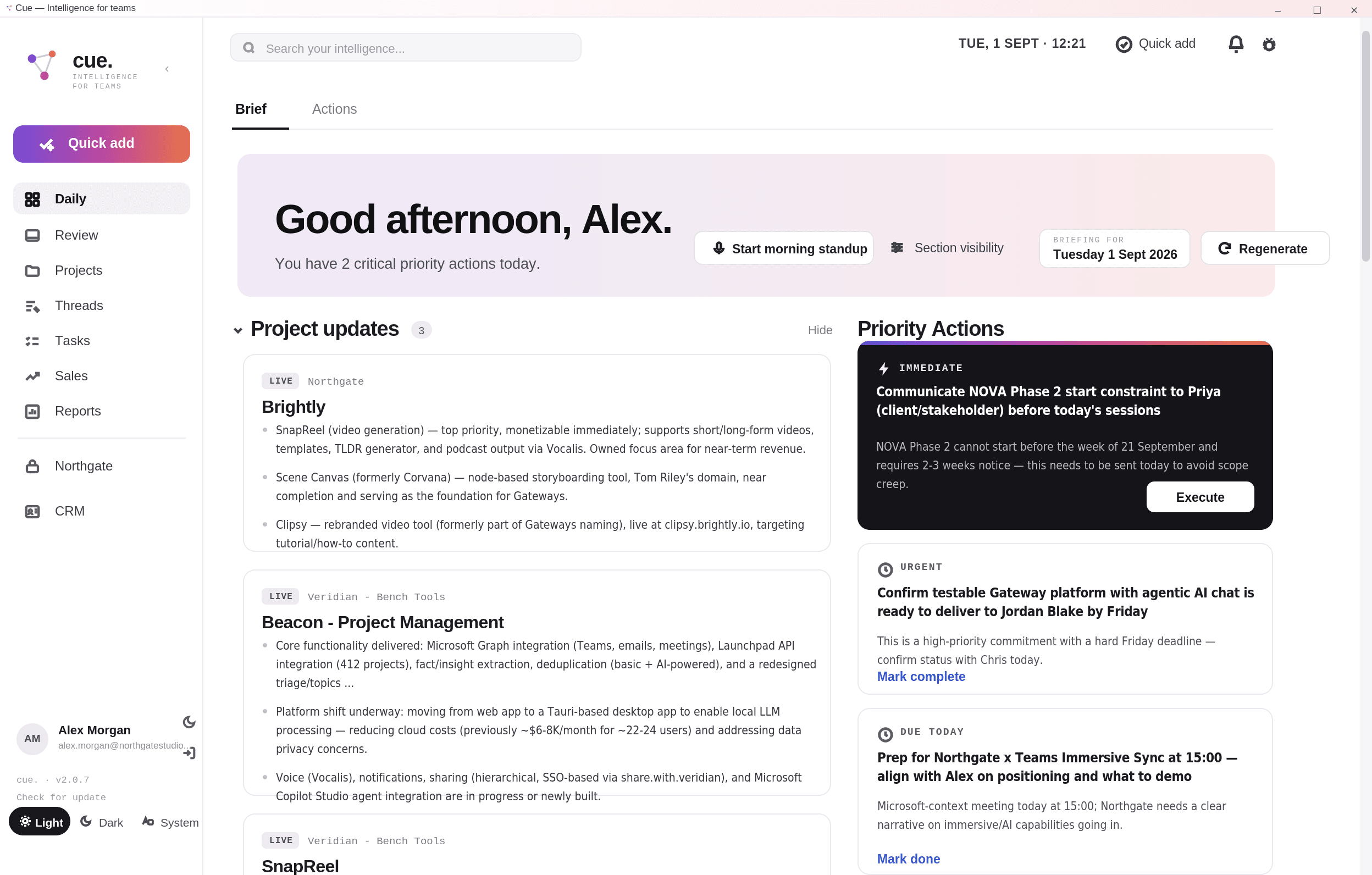
The institutional memory. Briefs, decisions, feedback and history, made usable by AI so every tool starts from context rather than a blank page.
Commercial record
tracklist
Clients, quotes and projects in one place. What was promised, what it costs, and where it stands.
Delivery
taskforge
Sprints, tasks and delivery tracking. Keeps work moving and deadlines honest.
Documents
docforge
Briefs, scopes and proposals, generated inside Claude against live account context.
cue.The knowledge layer
The institutional memory behind everything we make for you.
Cue pulls together the context of an account, then makes it usable by AI. Every product in the suite starts from what we already know about you, and every new project builds on the last.
Nothing gets lostDecisions and context are captured and carried forward, not trapped in someone's memory.
Sharper outputEvery brief, script and deck draws on real history, so the work starts closer to right.
ContinuityWhen a project restarts, or a new person joins, the context is already there.
It compoundsEvery project makes it smarter. The more we do together, the more valuable it gets.
What sits inside it
Meetings, summarised
Authorised calls are transcribed and summarised, with decisions and actions pulled out and attached to the right project.
Accounts and projects
Clients, quotes, briefs and scopes held as records rather than scattered files, so status is a lookup, not an email chain.
Connected to your world
Wired into Microsoft 365, so what lands in Teams, mail and calendars becomes part of the same context.
How it changes the work
01
Briefs start at 80%Docforge writes a brief or scope against live account history, not a blank template.
02
Storyboards know the brandStorycanvas draws on the tone, terminology and prior work already on record.
03
Feedback carries forwardComments in Reviewly become context, so the same note is never given twice.
04
Handovers stop hurtingA new person on the account reads the record instead of interviewing the team.
05
Commercials stay honestQuotes and scopes in tracklist sit next to what was actually delivered.
06
Your data stays yoursAccount context is held per client and used to serve that client's work, nothing else.
Get in touch
See the suite on a real problem of yours.
Start with a two-week prototype built in the suite against your own content. Then make an informed call on what to scale.